
Extension installation
Install and pin the Klarway extension in Google Chrome to be ready before your exam.
- 1
Add the extension from the Chrome Web Store
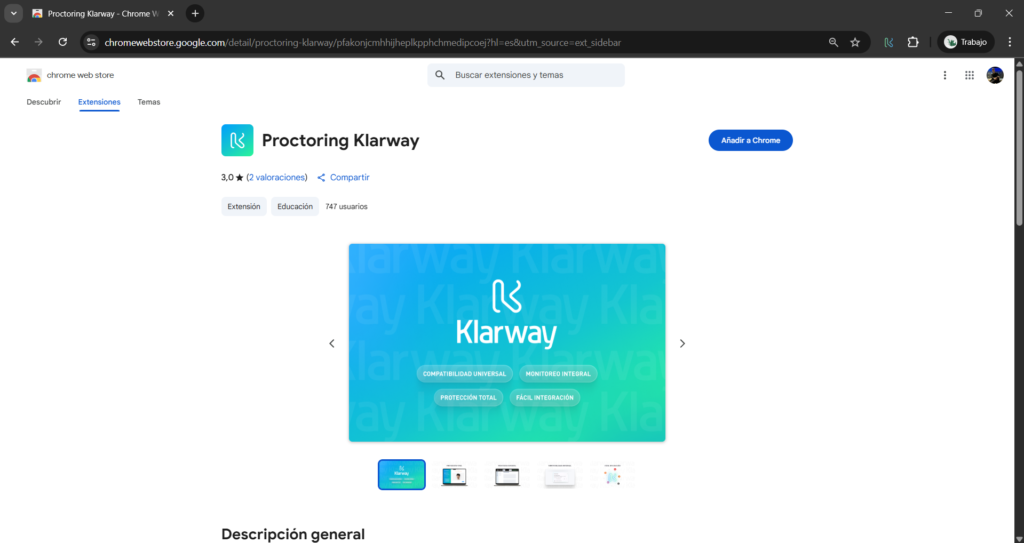
Search for the Klarway extension in the Chrome Web Store and click Add to Chrome.
Make sure Google Chrome is updated to the latest version before installing.
- 2
Pin the extension to the toolbar
Go to the browser extensions section and pin the Klarway extension so it is always at hand.
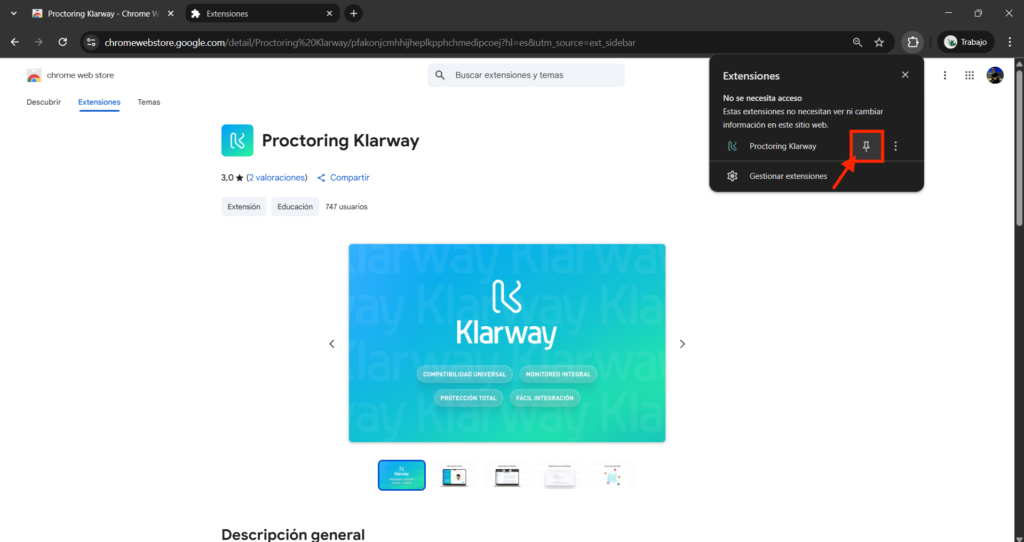
The extension must be added to the same Google Chrome session where the study platform is open.
How do I know if I'm in the same session?
- 1
Open Chrome and click on your profile icon in the upper right corner.

- 2
Verify that the session email is the same one you registered on the platform.
- 3
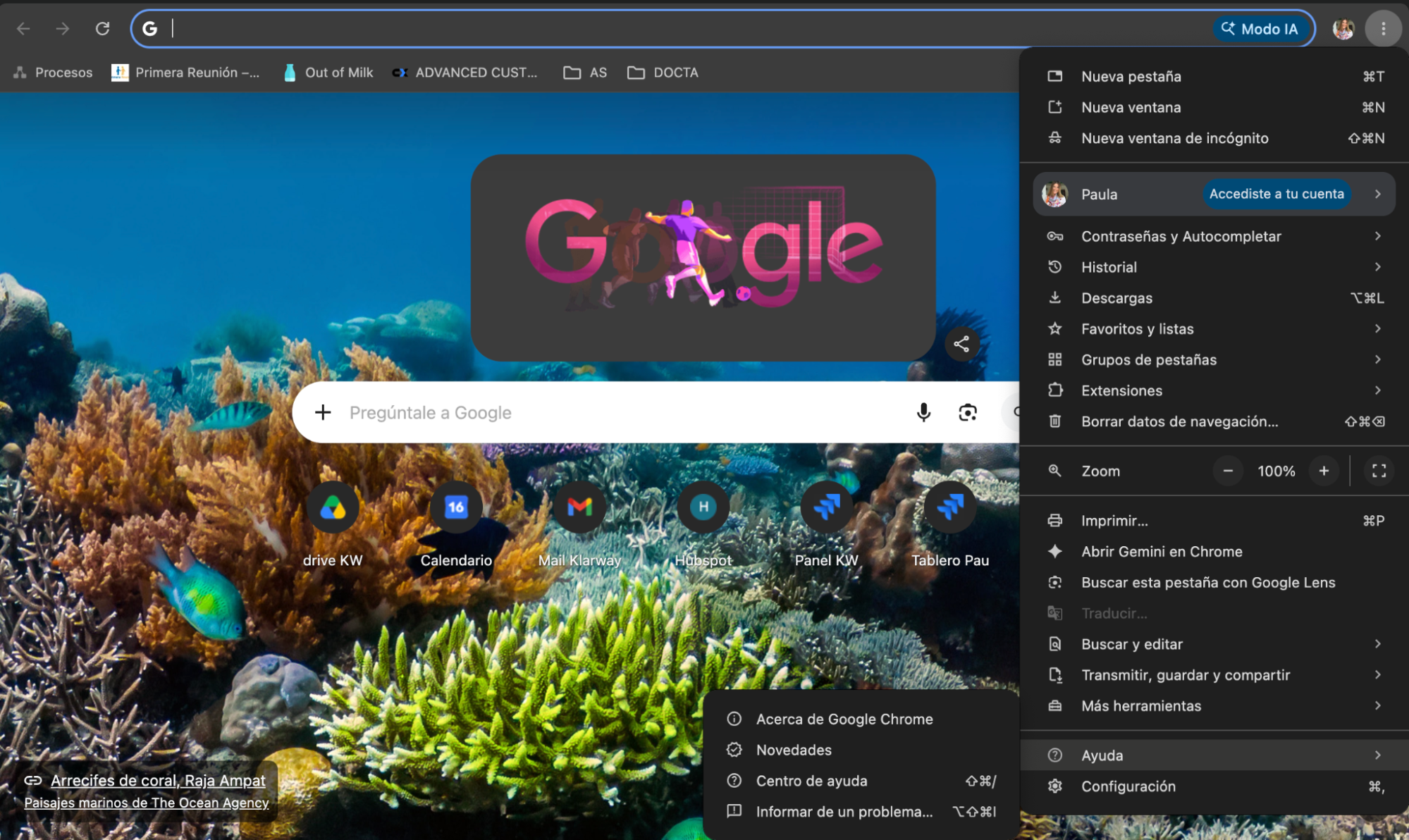
Open the Chrome menu (⋮) in the upper right corner.
- 4
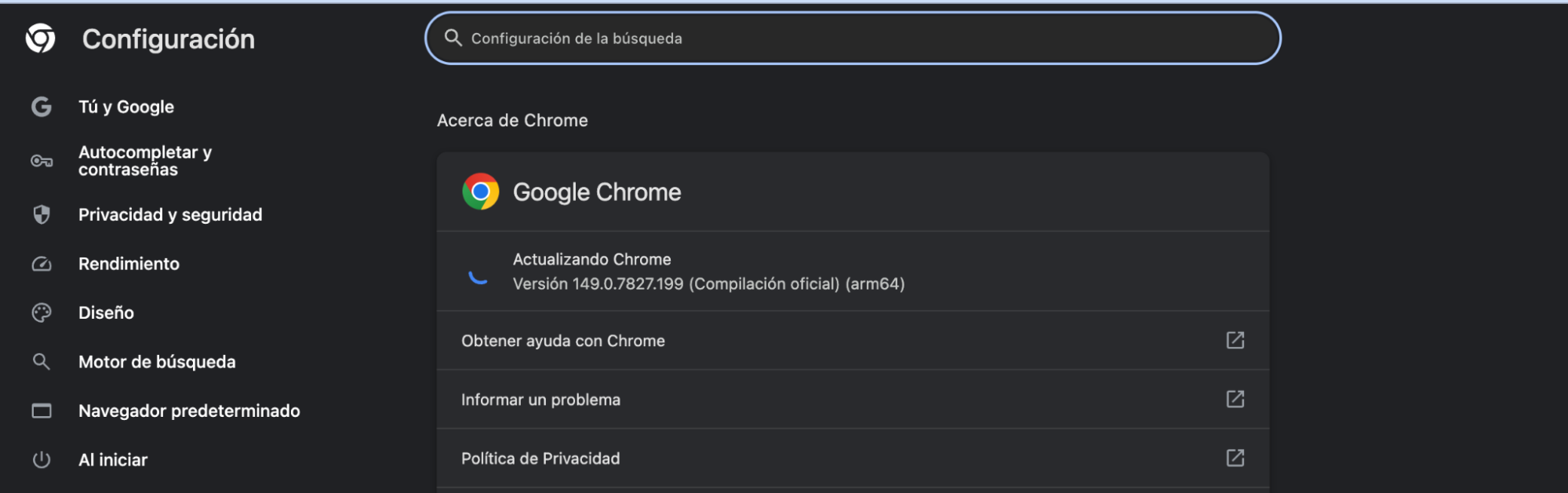
Click on Help › About Google Chrome and verify that the version is up to date. Update it if necessary.
Chrome only: the Klarway extension works exclusively with Google Chrome. If you use another browser, download the desktop application.