macOS · Step-by-step guide
Uninstall virtual cameras
Virtual cameras can prevent Klarway from starting on Mac. Follow these steps to uninstall them from Finder.
- 1
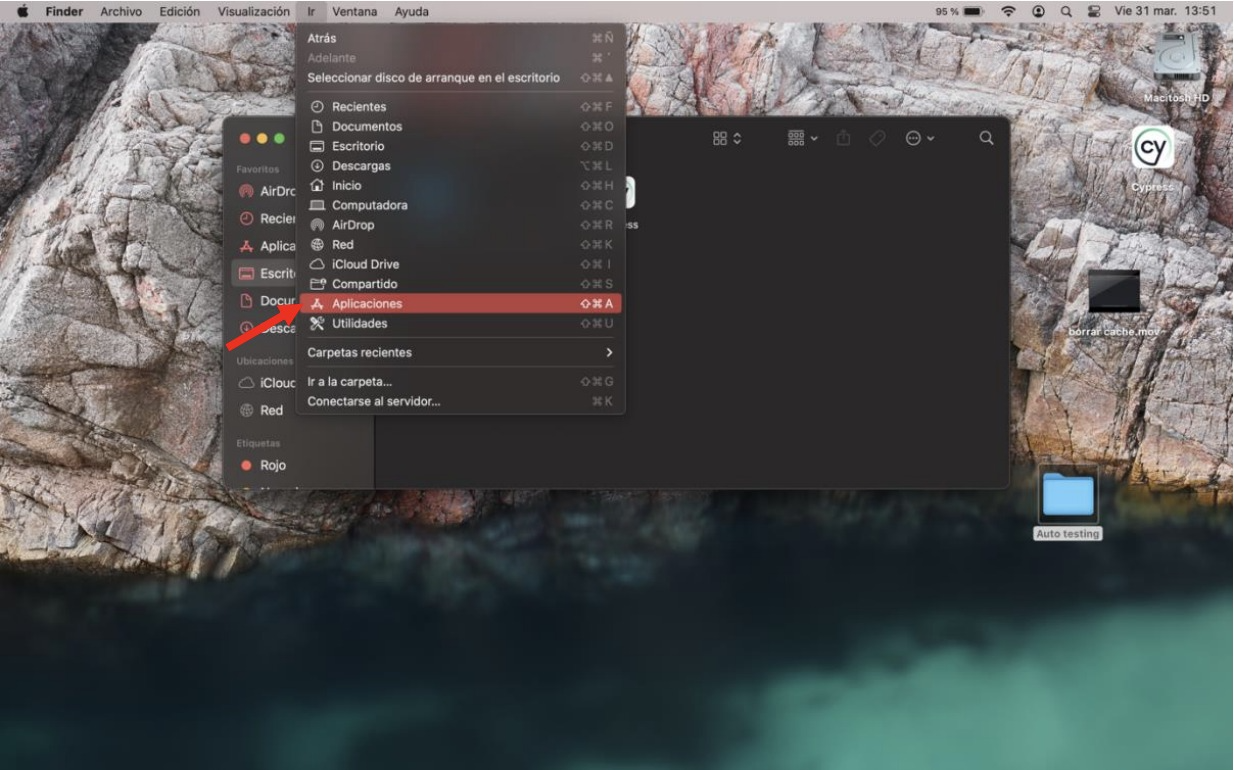
Open the Applications folder
In Finder, go to the "Go" menu and select "Applications".
- 2
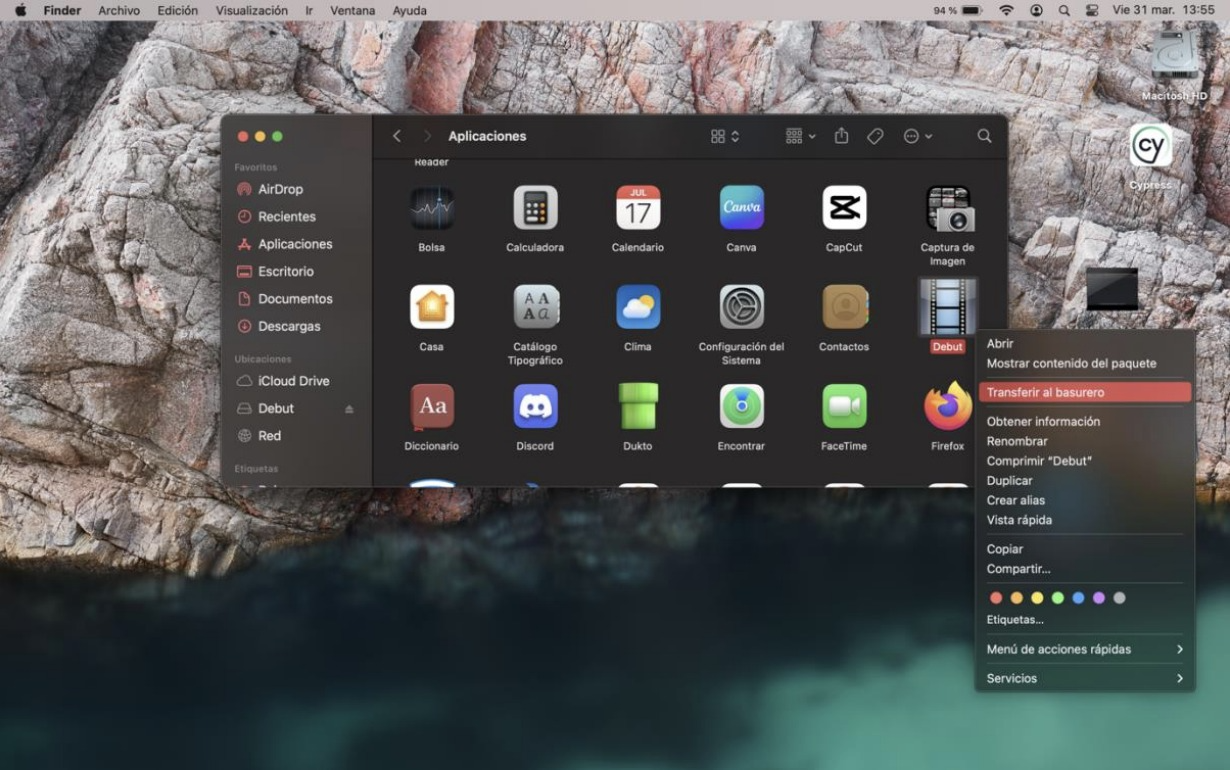
Move the virtual camera to the Trash
Find the virtual camera (Klarway will tell you its name), right-click on it and select "Move to Trash".