Windows · Antivirus
Windows Defender
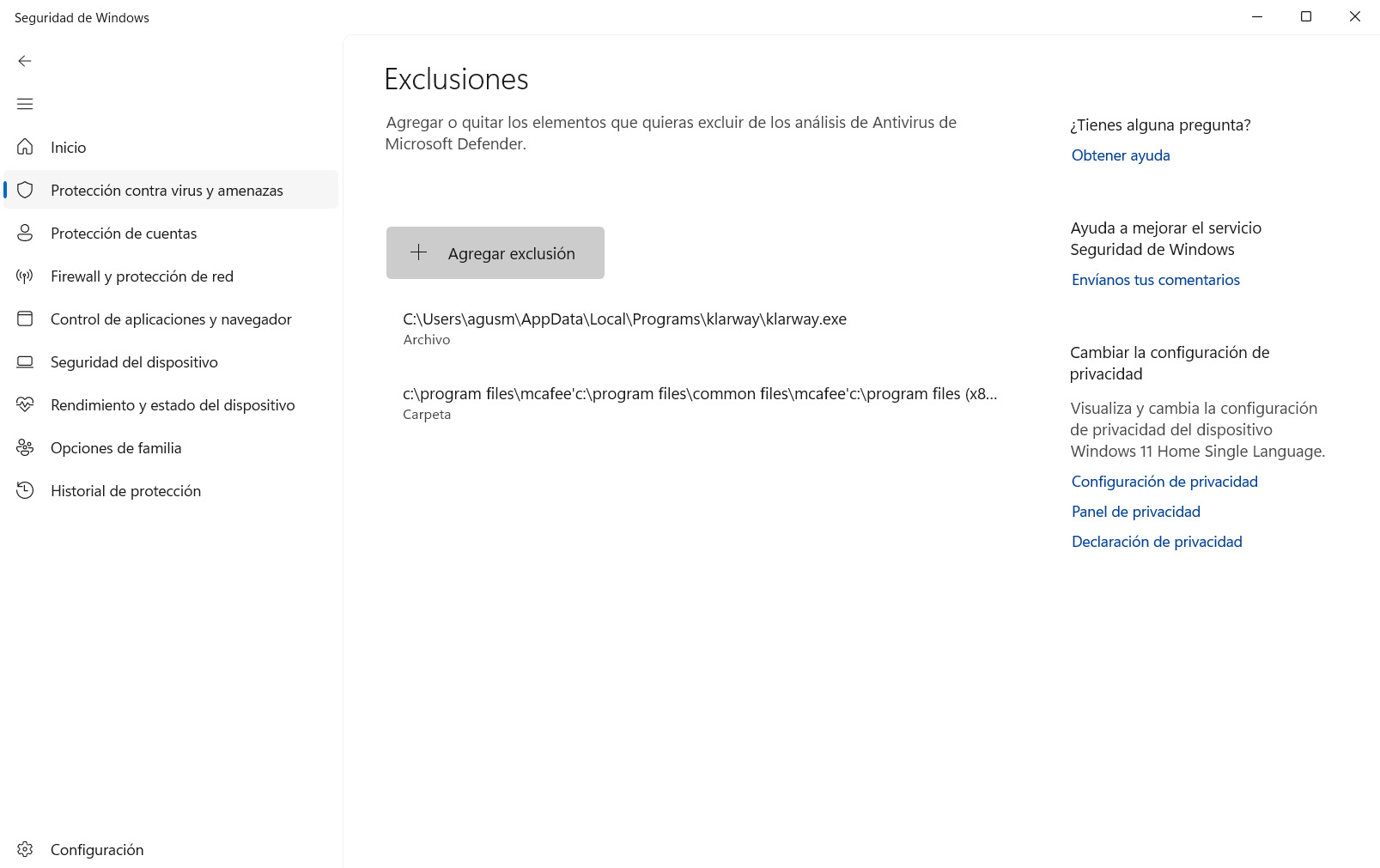
Two options to prevent Windows Defender from interfering with Klarway: disable periodic scanning or add Klarway as an exclusion.
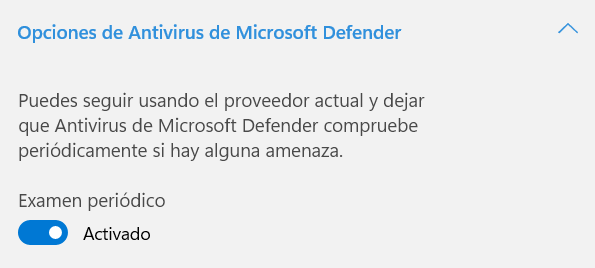
Option 1: Disable periodic scanning
⚠️ Important: Once scanning is disabled, reinstall Klarway and run it. When you finish using Klarway, you can re-enable periodic scanning.
- 1
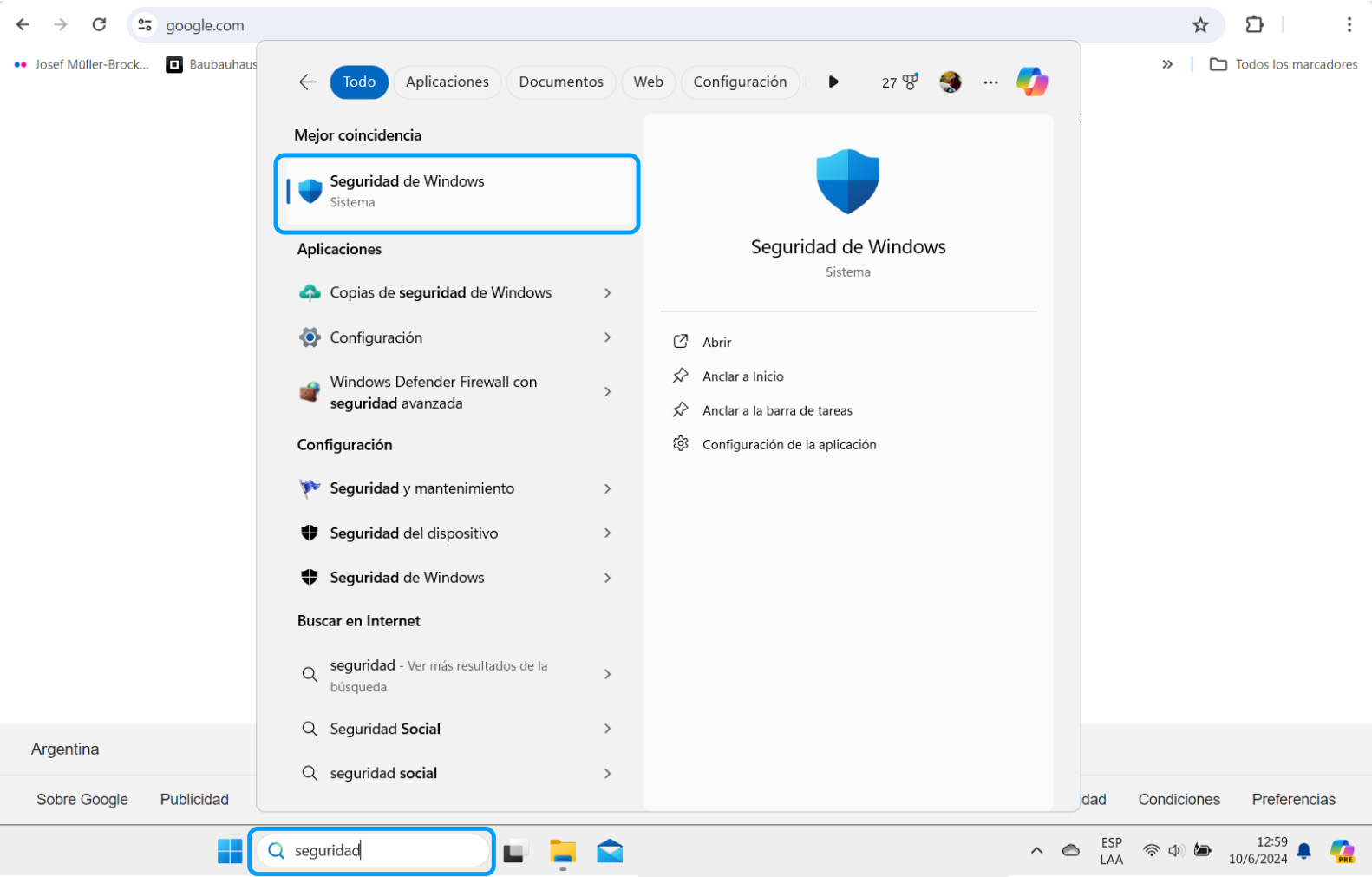
Open "Windows Security" from the search bar.
- 2
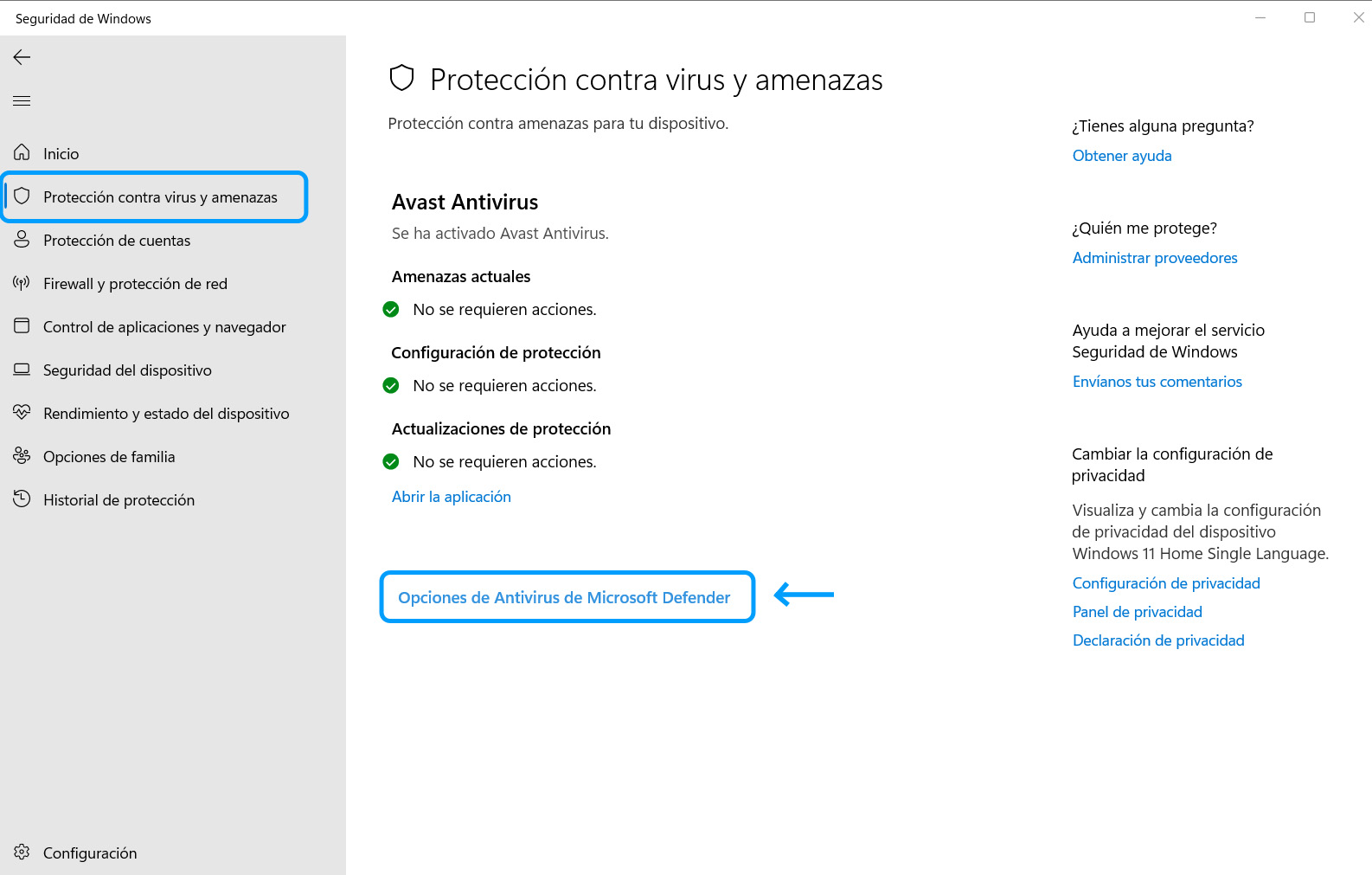
Go to "Virus & threat protection" and click "Microsoft Defender Antivirus options".
- 3
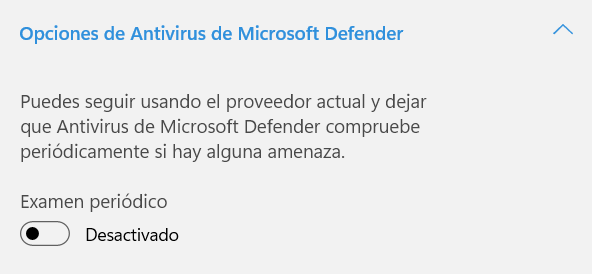
Turn off periodic scanning.
- 4
Reinstall Klarway. Once reinstalled, run the application.
Option 2: Add Klarway as an exclusion
- 1
Open "Windows Security" from the search bar.
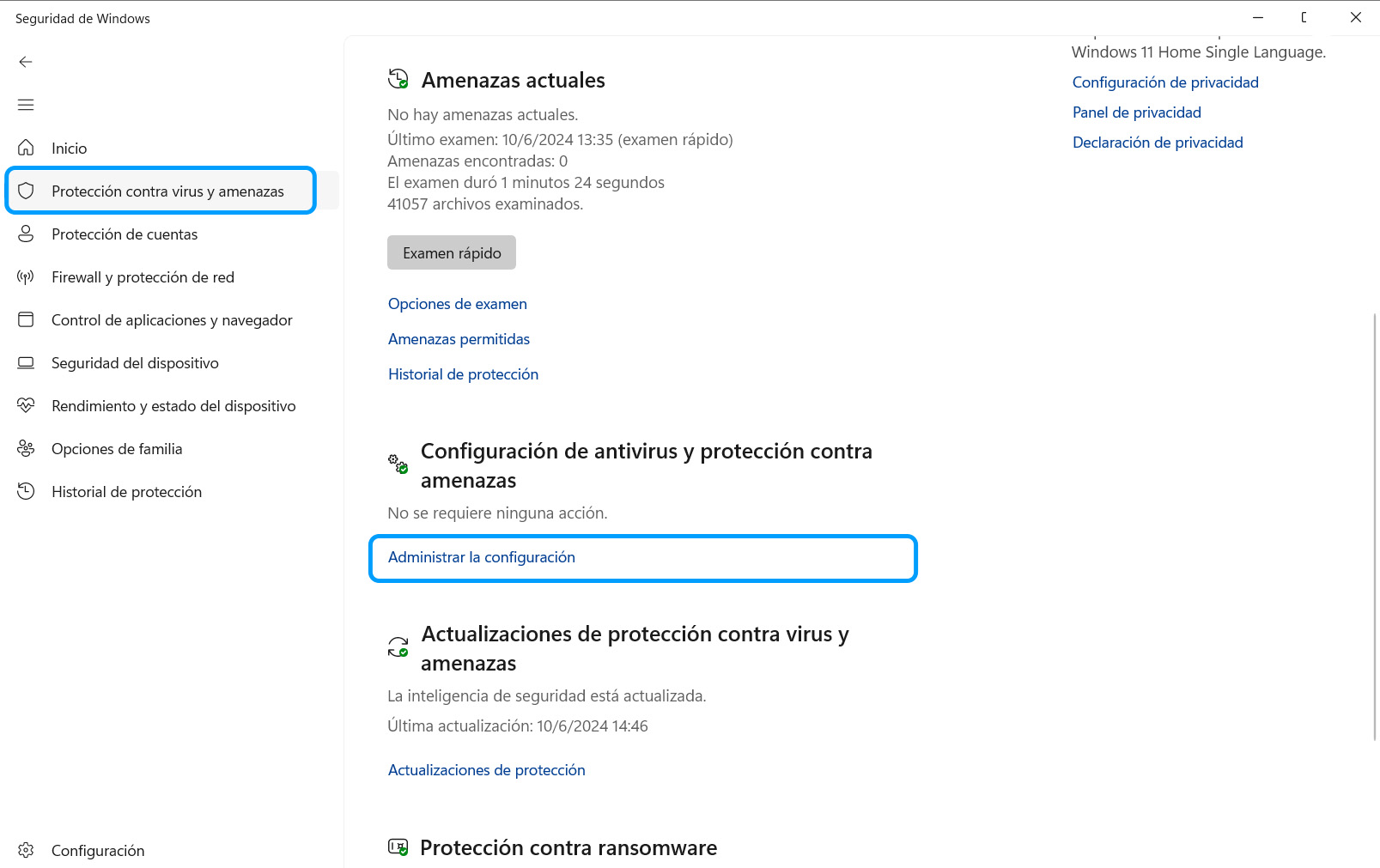
- 2
Go to "Virus & threat protection" and click "Manage settings".
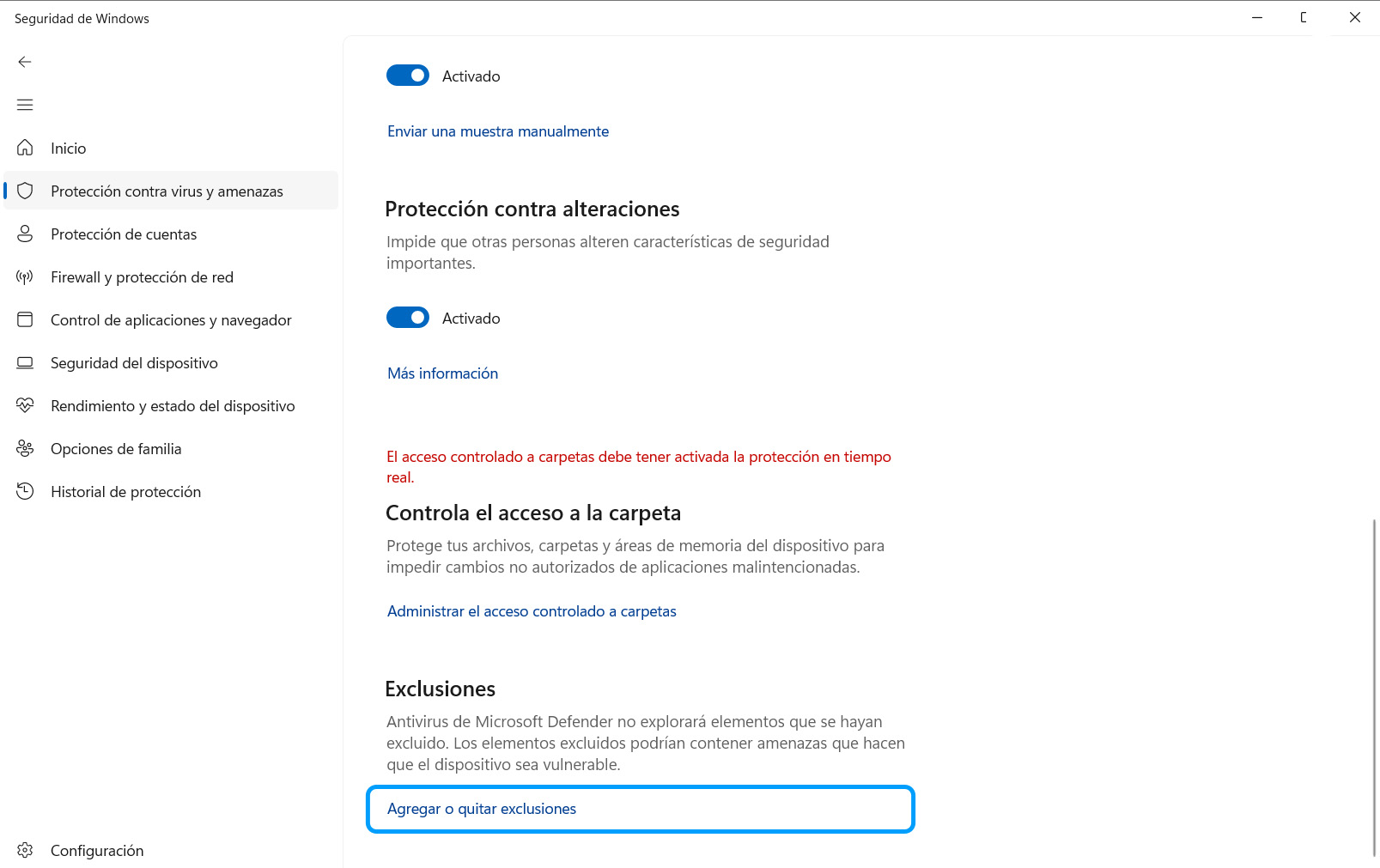
- 3
Scroll down to Exclusions and click "Add or remove exclusions".
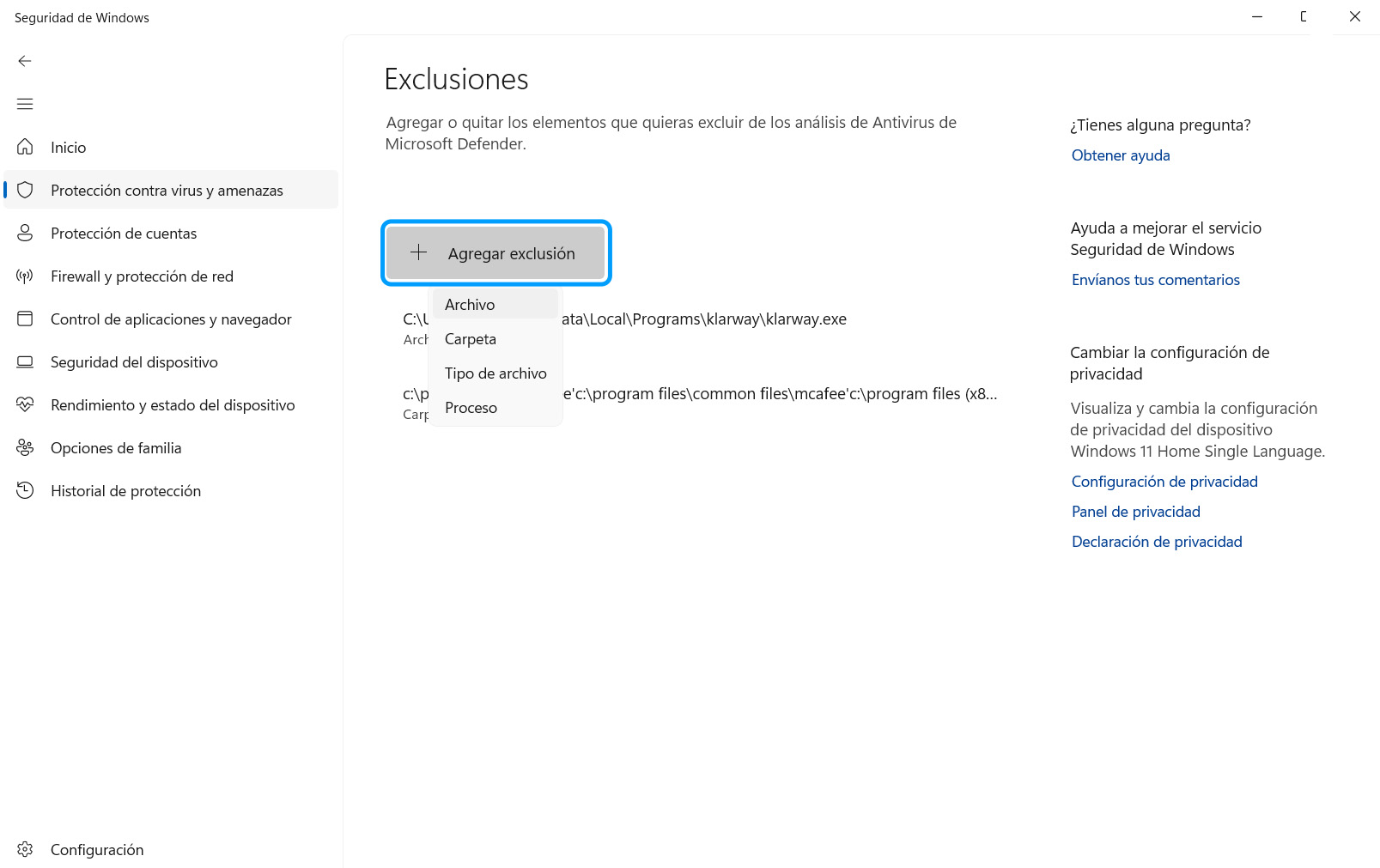
- 4
Click "Add an exclusion" → File. Find the Klarway application and add it.