Windows · Antivirus
Add exception in Avast
If Avast is blocking Klarway, follow these steps to add the application as an exception and allow it to run.
- 1
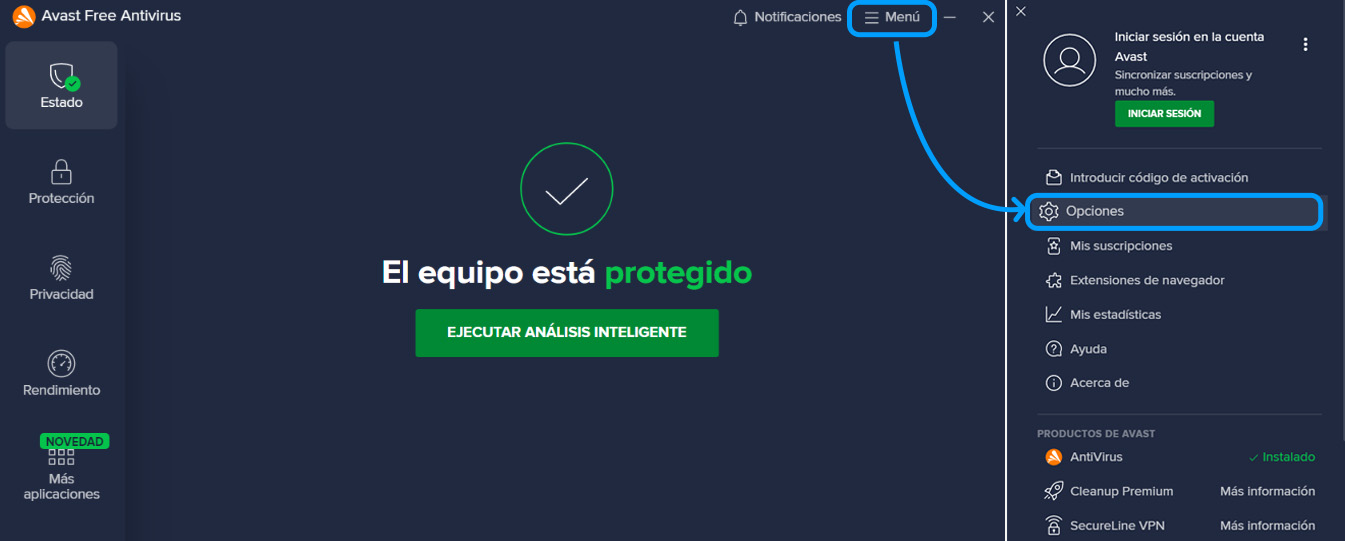
Open Avast and go to Settings
Open Avast Antivirus and select ☰ Menu ▸ Settings.
- 2
Add an exception
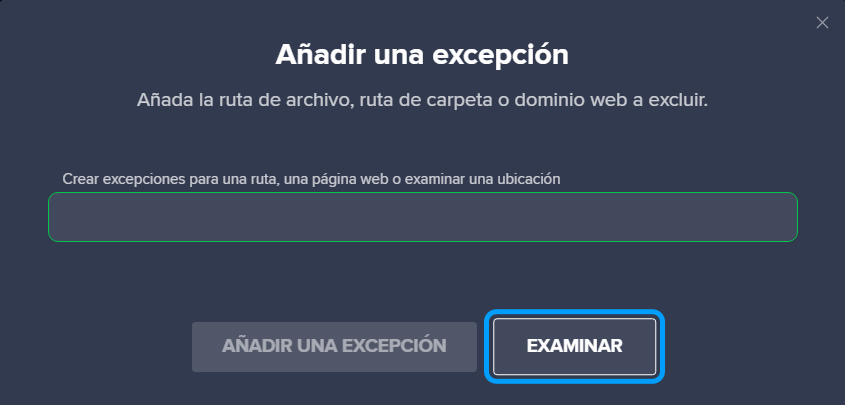
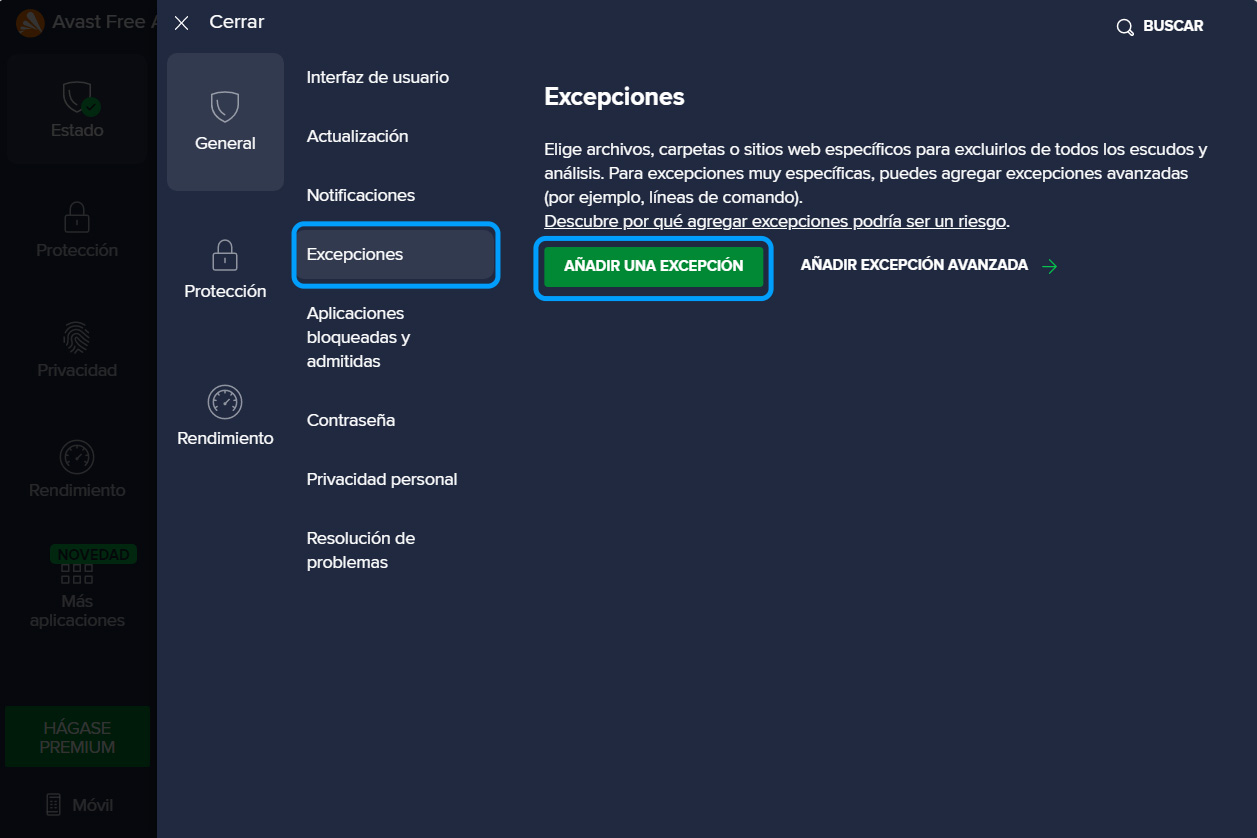
Make sure the "General" tab is selected. Navigate to "Exceptions" and click "Add exception".
- 3
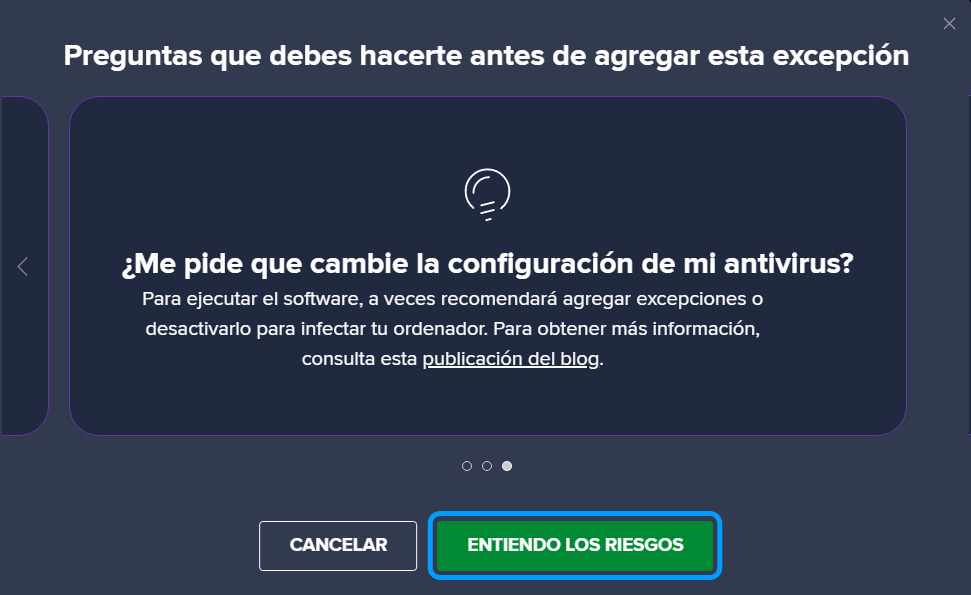
Confirm the risks
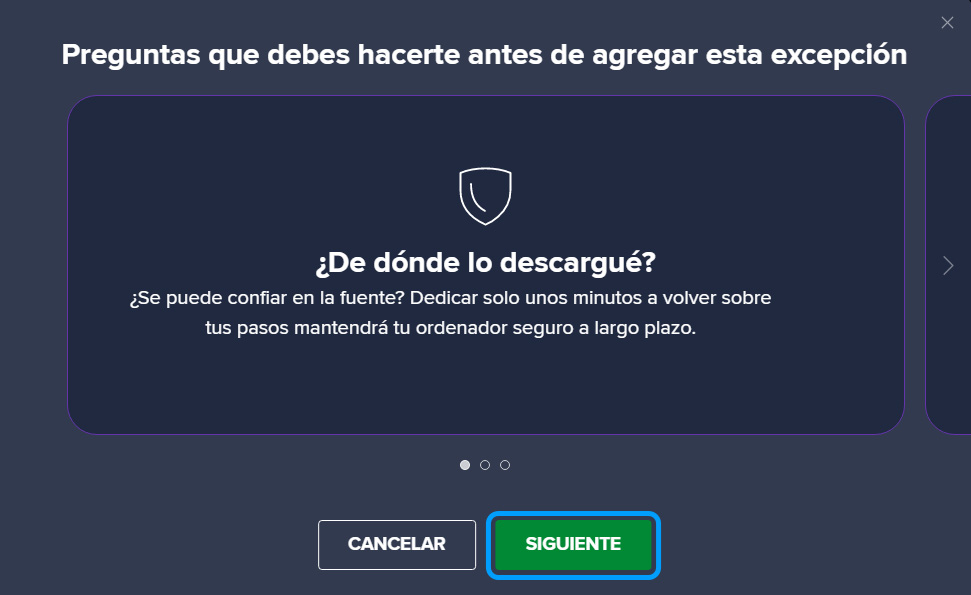
Click "Next" and then select "I understand the risks".
- 4
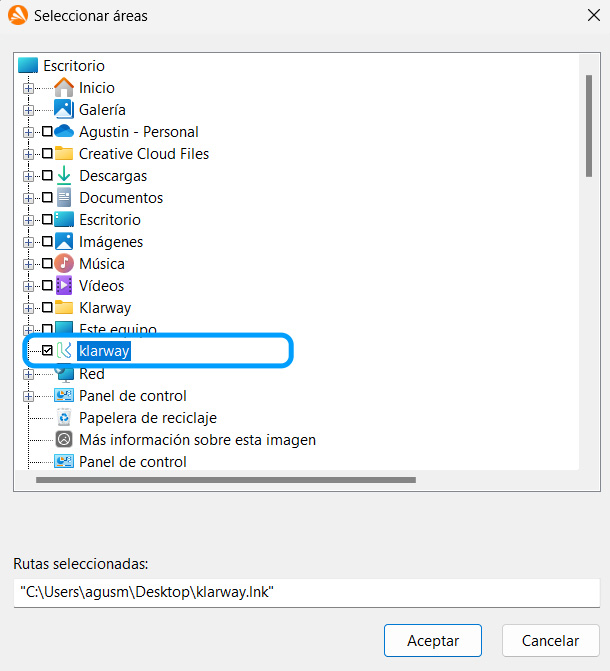
Select the Klarway application
Press the "Browse" button and select the Klarway application from the list.